Overview:
The Pin Companies for Quick Access feature allows users to easily access frequently used companies without the need to scroll or search for the company name. This saves time and enhances productivity, particularly for users who manage multiple companies or need to switch between them regularly.
Scenario:
Pin companies in the My Companies screen.
Solution:
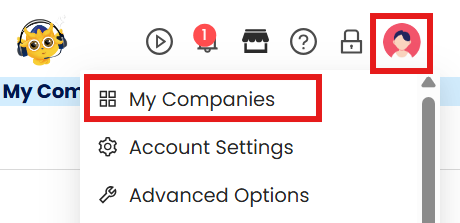
Click the your profile icon and choose My Companies
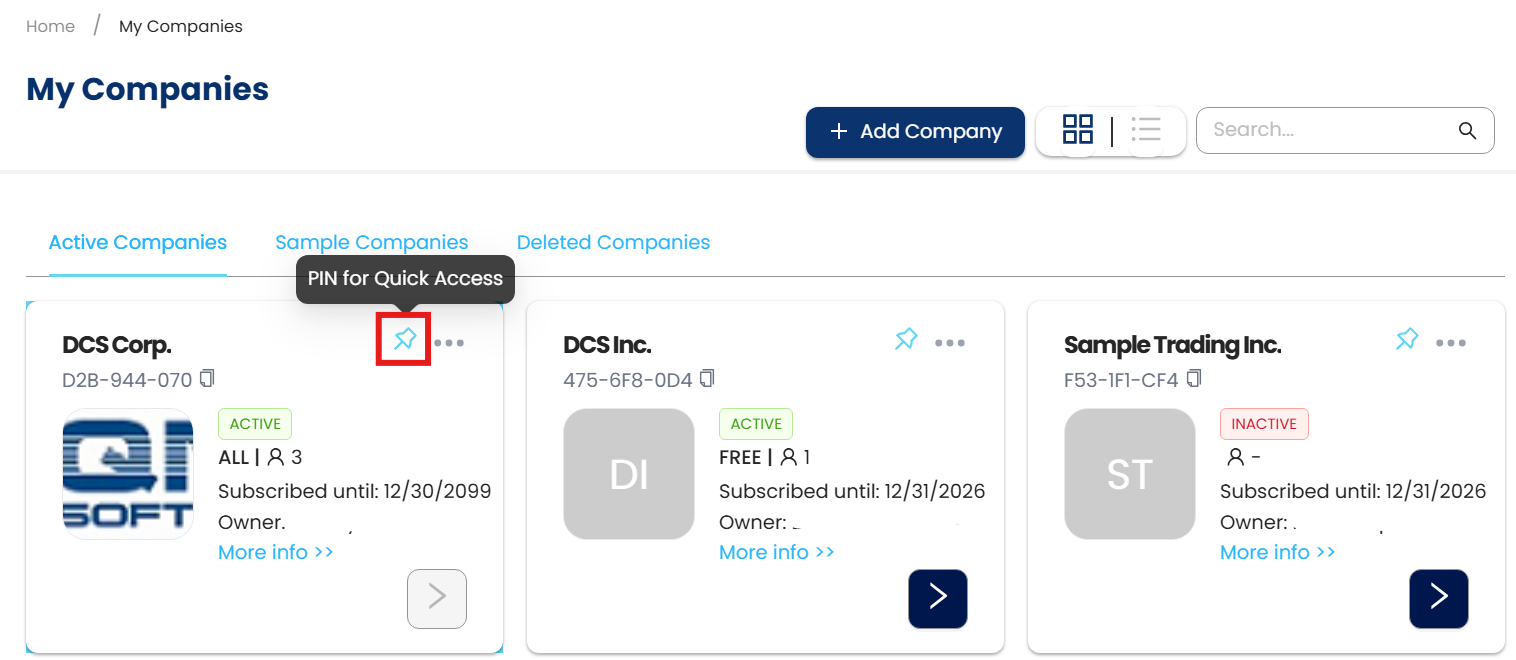
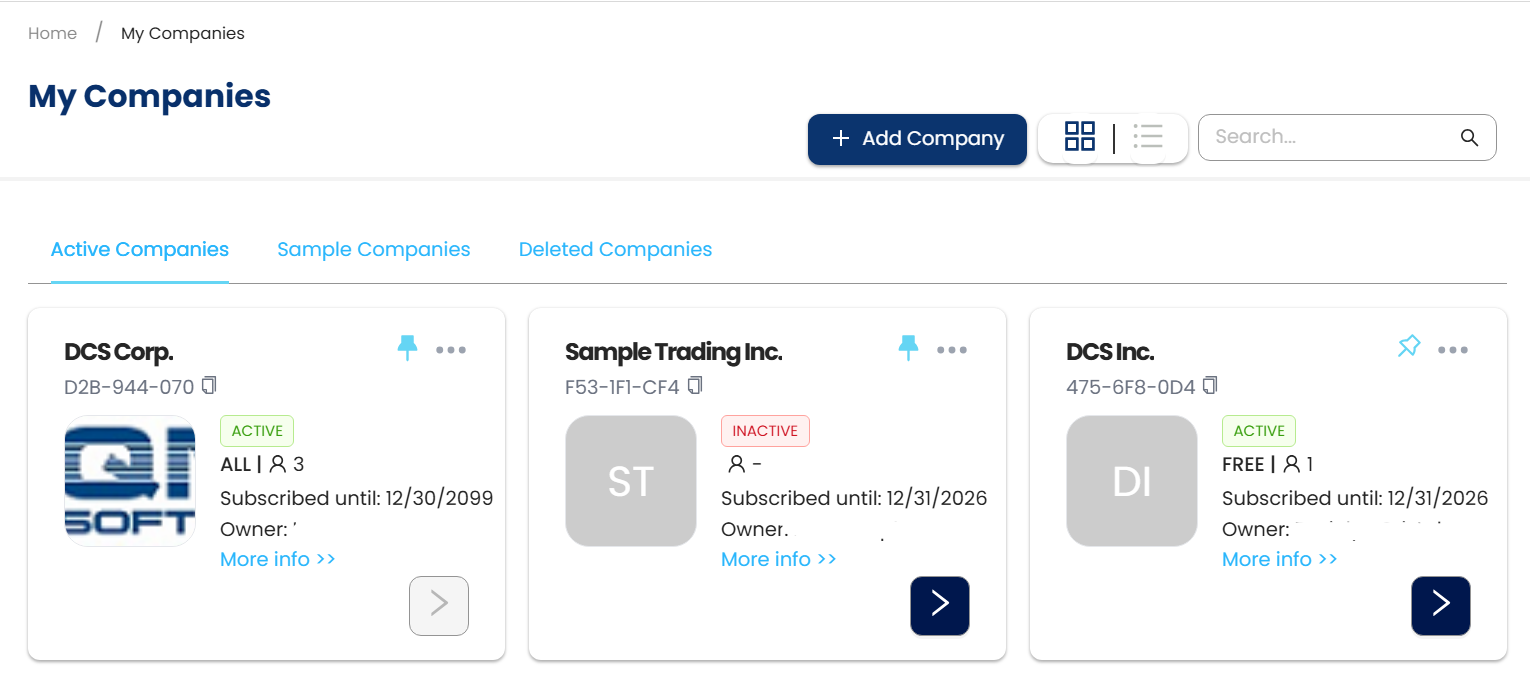
Choose a company you want to pin. Click the PIN for Quick Access icon to pin the company.
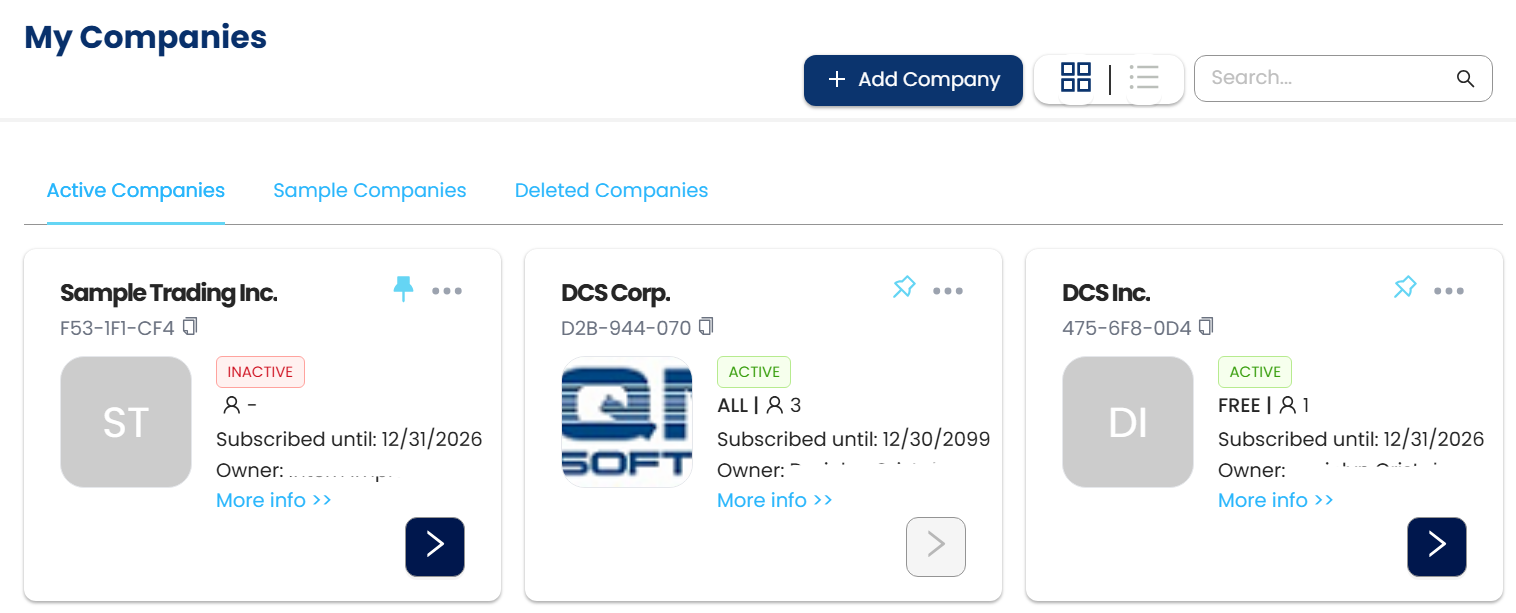
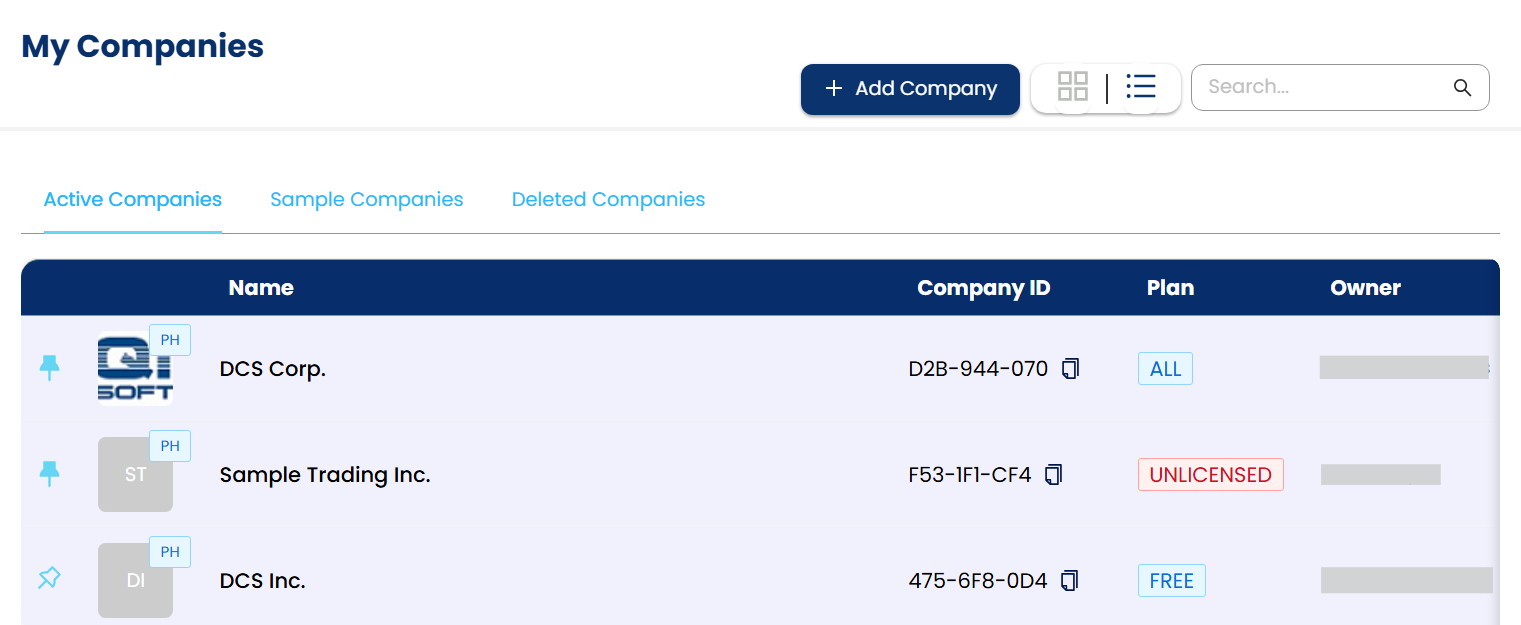
Once clicked, the PIN icon will become upright and solid cyan. The Company Card will move to the top of the list, overriding the alphabetical order based on the company name.
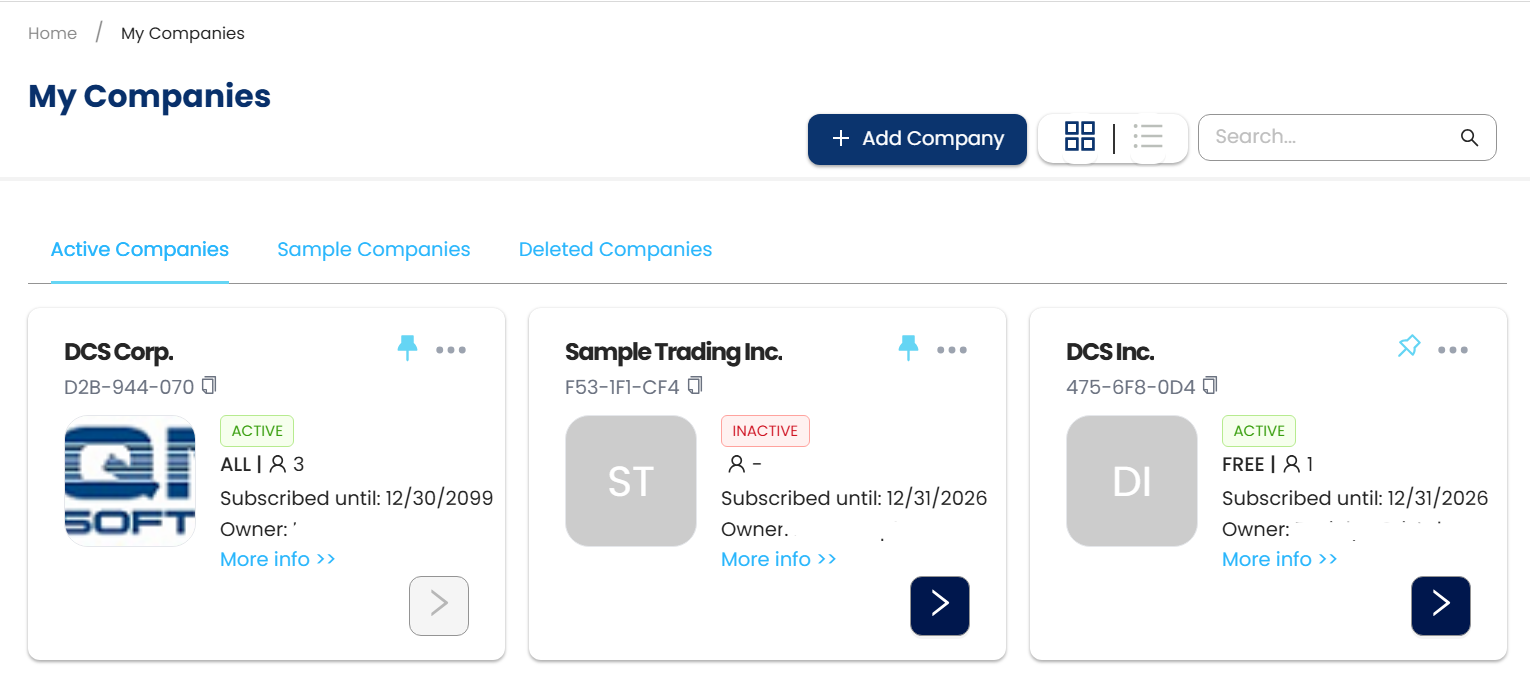
If multiple companies are pinned, pinned companies will be arranged in Alphabetical order.
To unpin a company, simply click on the PIN icon again.
Application:
Users can now easily access Pinned companies both in Table View and list view.
Table View
List View
System Scope: QNE AI Cloud Accounting / N3 AI Accounting
Was this article helpful?
That’s Great!
Thank you for your feedback
Sorry! We couldn't be helpful
Thank you for your feedback
Feedback sent
We appreciate your effort and will try to fix the article