Overview:
The Customer Inquiry feature in N3 AI Accounting Accounting allows users to instantly view all transactions related to a specific customer. Whether you're tracking outstanding balances, reviewing payment history, or preparing for collections, this tool provides a fast and focused way to access customer-level financial activity—without the need to generate full reports.
Scenario:
A collections officer needs to follow up on unpaid invoices for a specific customer. Rather than navigating through multiple modules or exporting a full aging report, the officer uses the Customer Inquiry feature to pull up all transactions—sales, payments, credit notes, and outstanding balances—for that customer within the current quarter.
Procedure:
To review a customer’s transactions using Customers Inquiry in N3 AI Accounting Accounting
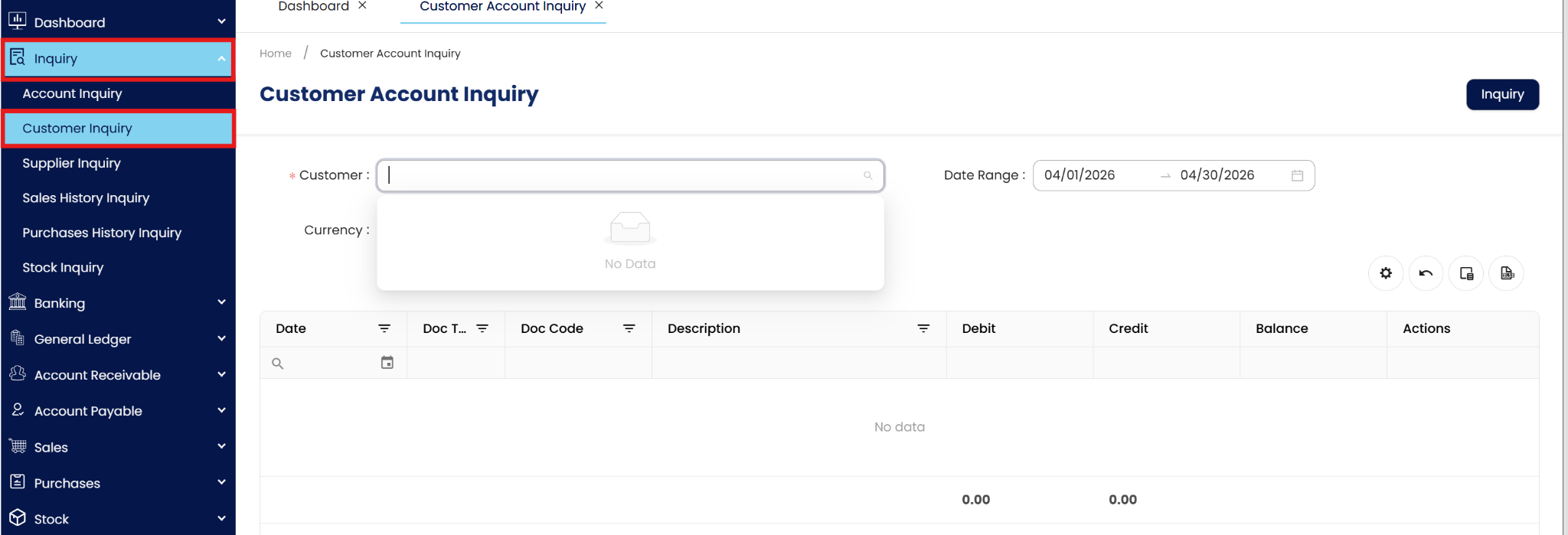
Navigate to the Inquiry module and select Customer Inquiry.
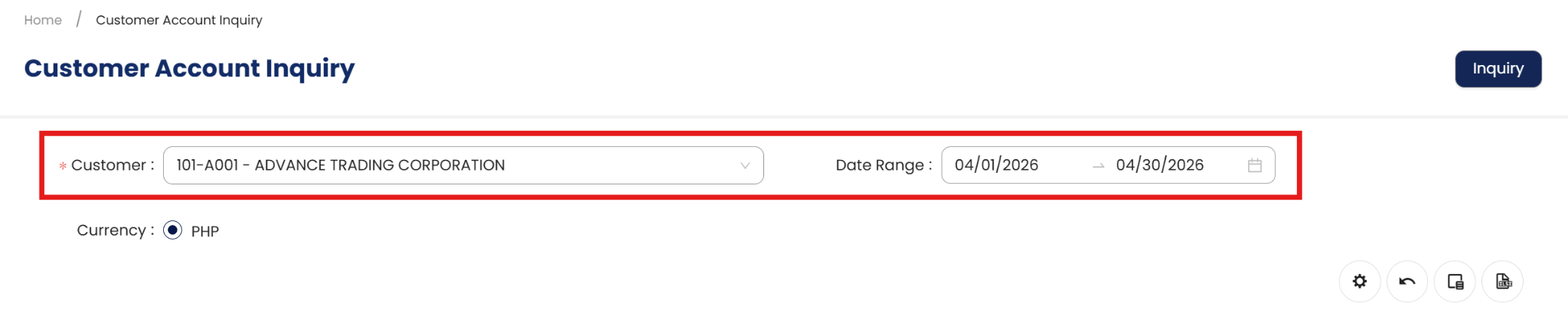
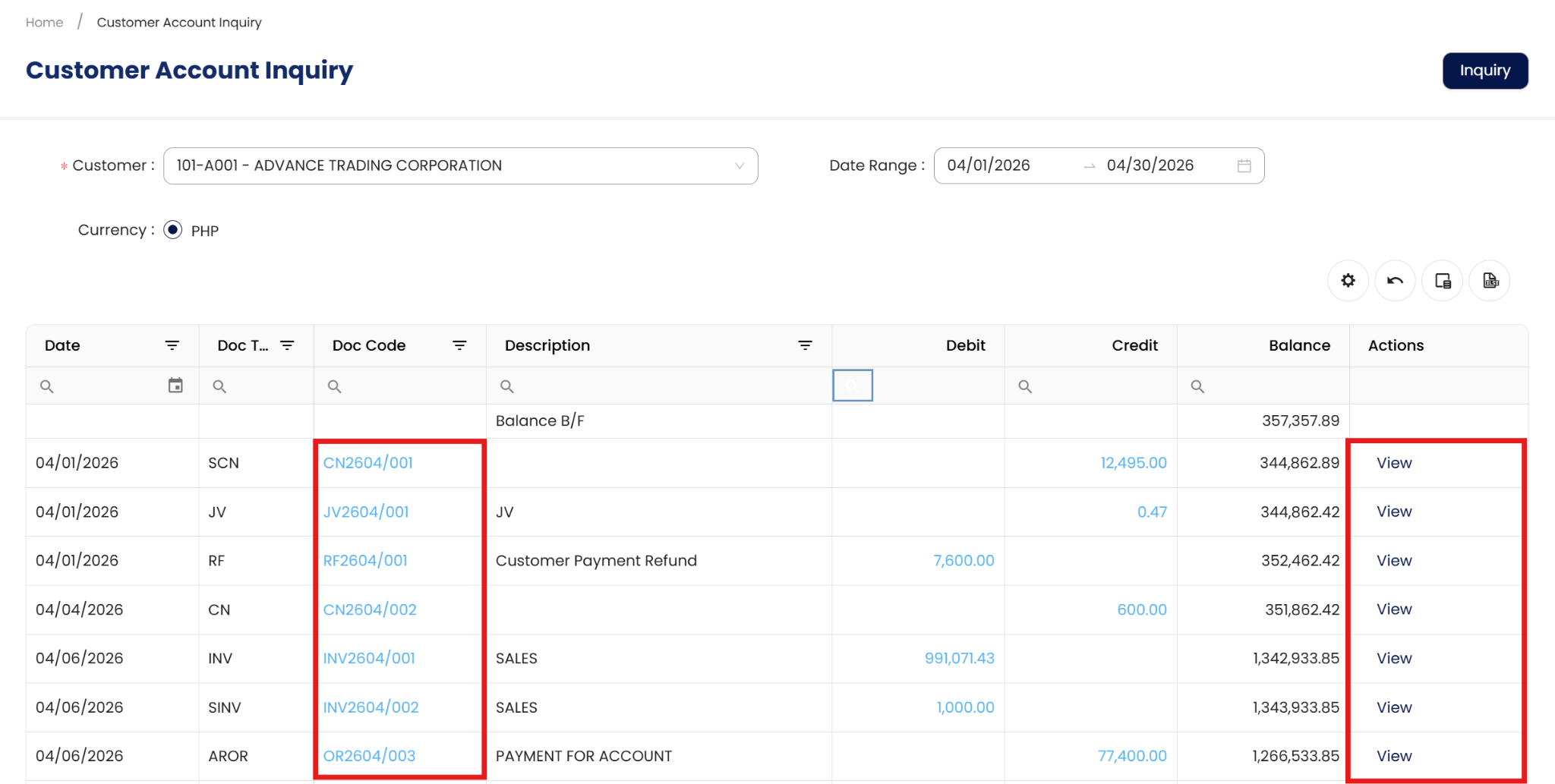
In the Customer field, choose the customer you want to review and set the Date Range.
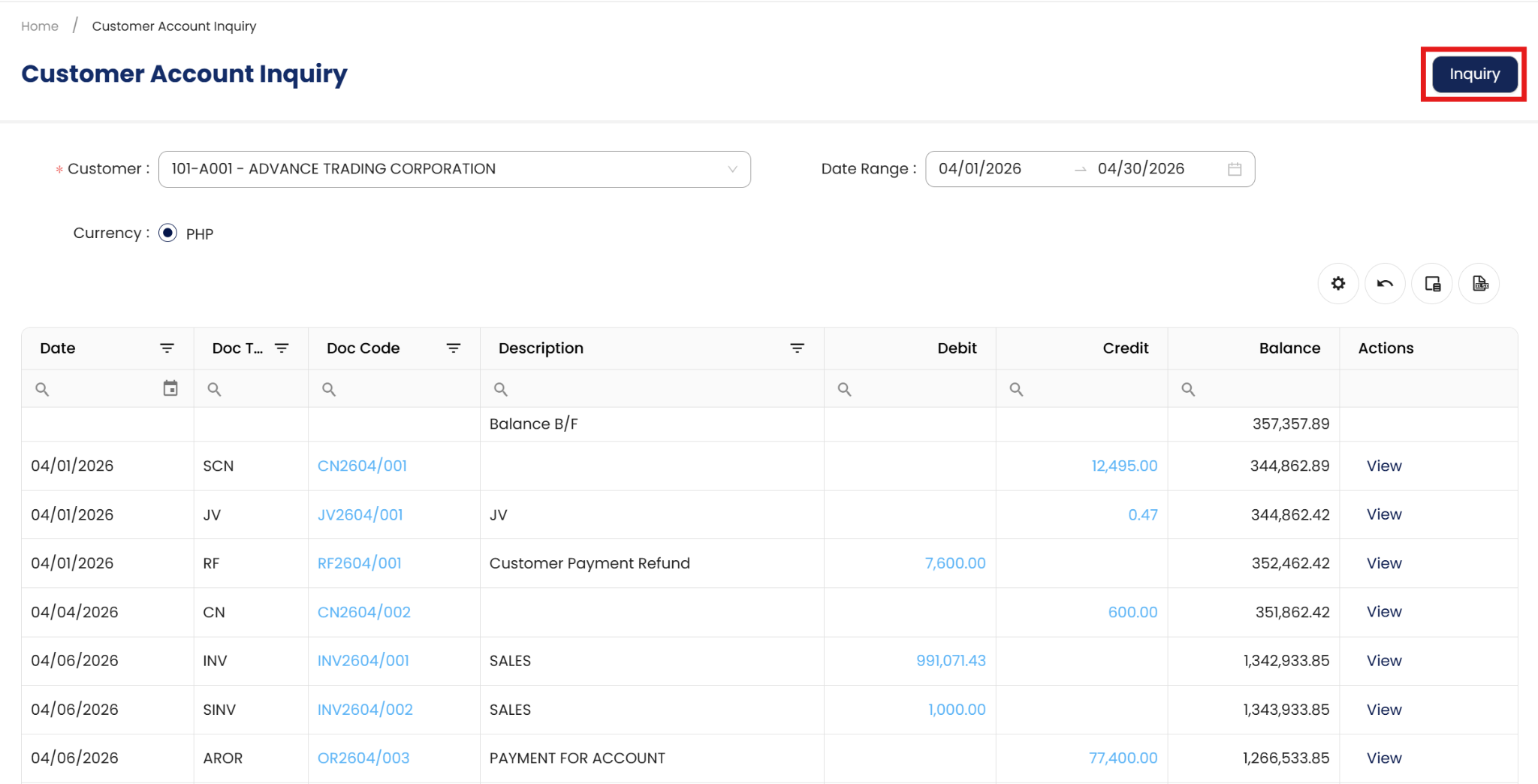
Click Inquiry to display the list of transactions.
Review the details shown, which include:
Transaction Date
Document Code
Document Type (e.g., Invoice, OR, Credit Note)
Reference
Debit and Credit Amounts
Balance
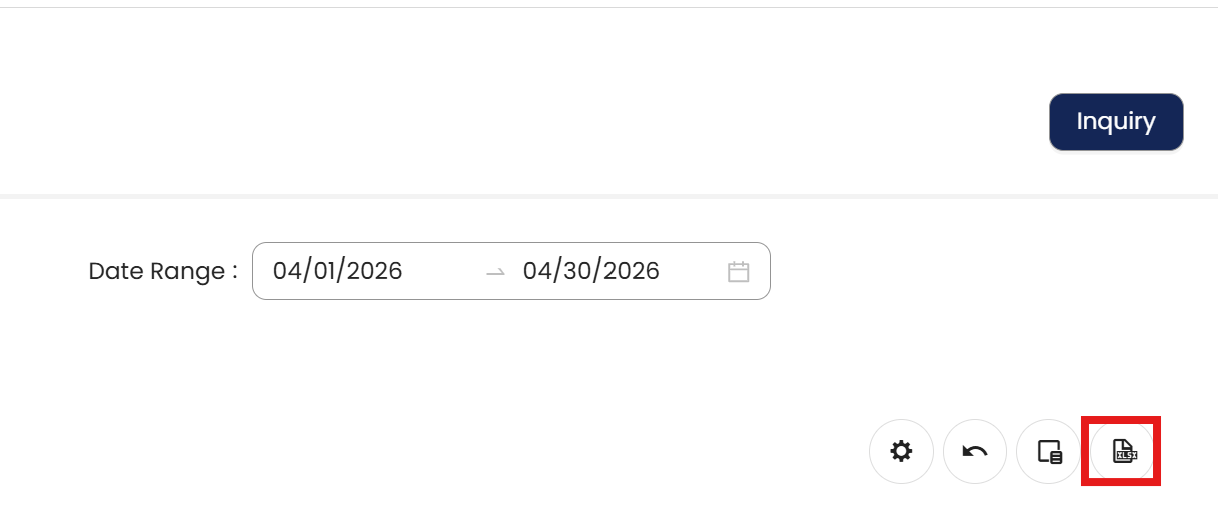
Click the Export to Excel icon if you need to save or share the results for reporting.
Note: You can click on the Document Code or the View link in the Action column to open the source document and view full transaction details.
Application:
For example, a collections officer preparing for follow-ups may use Customer Inquiry to focus solely on the transactions of a specific customer. By filtering the view:
They can quickly generate a list of transactions within a defined date range
Eliminate irrelevant data from the screen
Streamline communication by referencing accurate and current information
Align follow-up actions with the customer's latest financial activity
Using Customer Inquiry helps users work more efficiently, minimize delays in collections, and maintain clear visibility into customer account status.
System Scope: N3 AI Accounting (formerly QNE AI Cloud Accounting)
Was this article helpful?
That’s Great!
Thank you for your feedback
Sorry! We couldn't be helpful
Thank you for your feedback
Feedback sent
We appreciate your effort and will try to fix the article