Overview:
Project Statement of Comprehensive Income with Budget is used to create comprehensive income statements for specific projects and periods while integrating budget considerations. It allows you to track income, expenses, and profitability against predefined budgets for each project providing valuable insights and analysis.
Procedure:
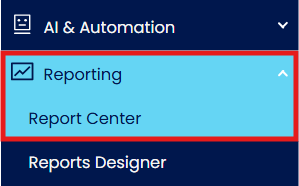
To generate Project Statement of Comprehensive Income with Budget, In Navigation Pane, go to Reporting > Report Center
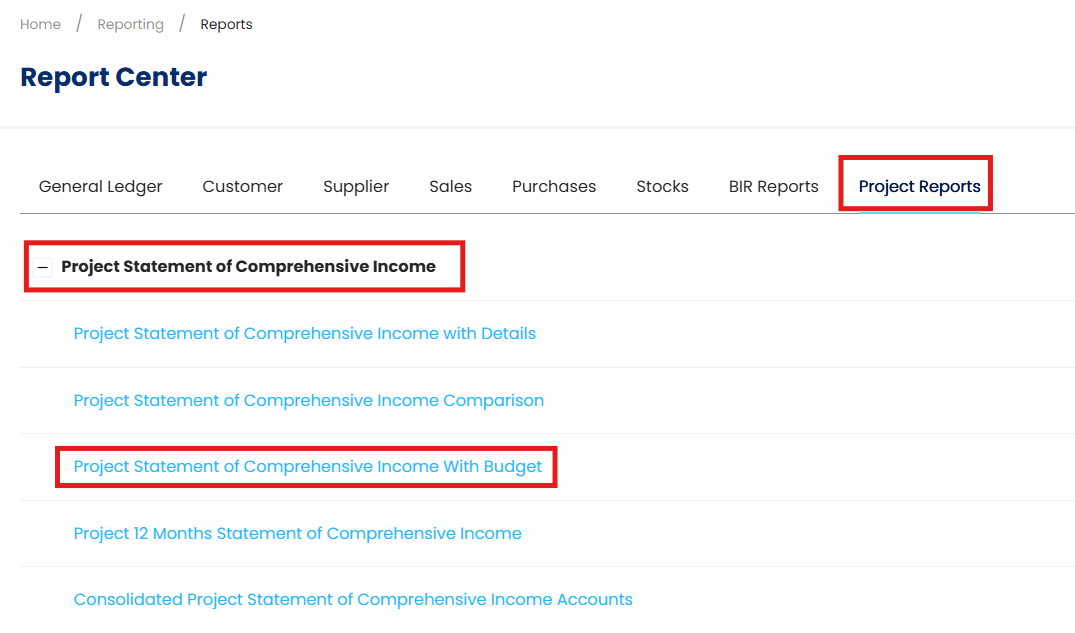
In Report Center, go to the Project Reports > Project Statement of Comprehensive Income > Project Statement of Comprehensive Income with Budget
In the Project Statement of Comprehensive Income with Budget screen, you can set up the information parameters that will be included in the report.
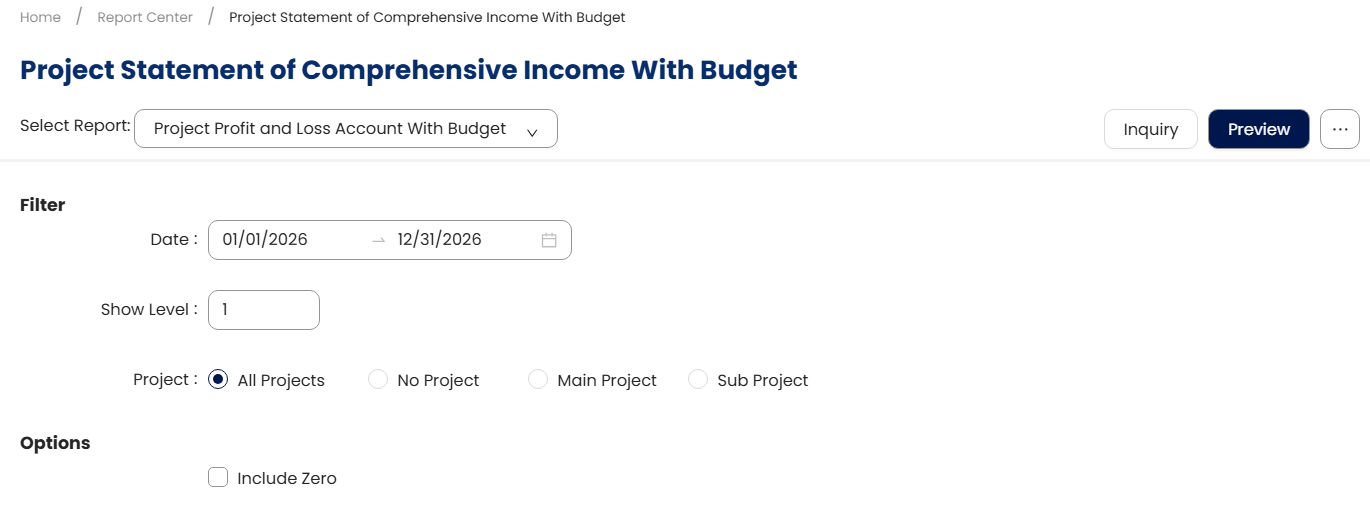
Filters
Date: Only the transaction/s within the selected date range will be included.
Show Level: Filter report by selecting a range of Show Level based on the level Chart of Account
Project: Categorized into four options.
All Projects: displays all projects.
No Projects: displays documents with no projects assigned.
Main Projects: displays only parent projects with child project.
Sub Projects: display only child projects and projects without children.
Options
Include Zero - option will include projects with zero balance/s
Once done with Filtering, click ‘Preview’

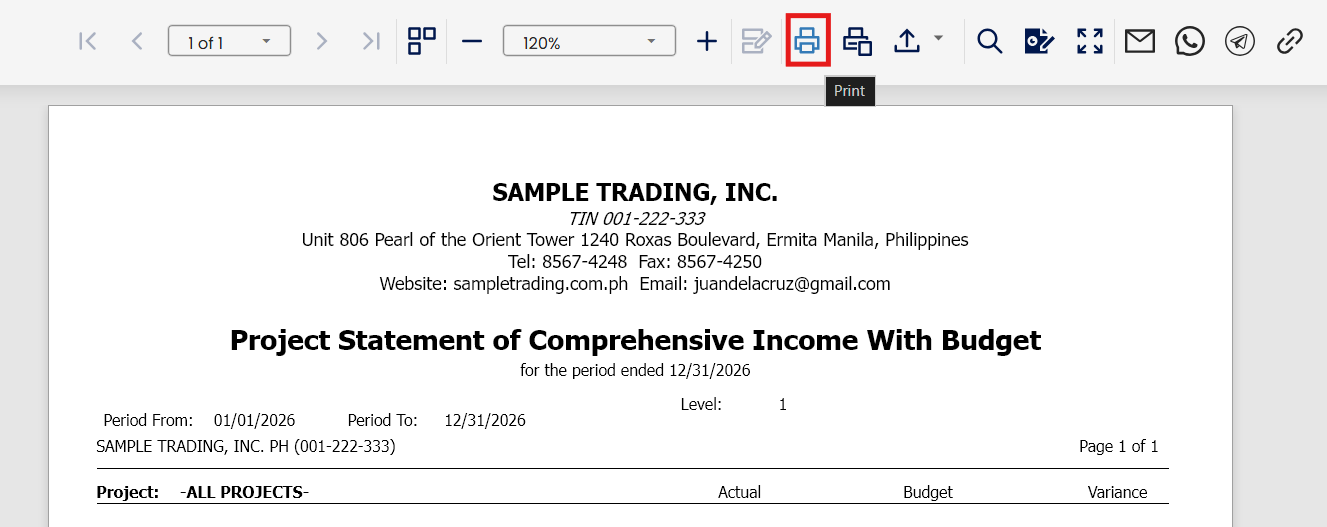
Upon Preview, you may export the file using different file formats
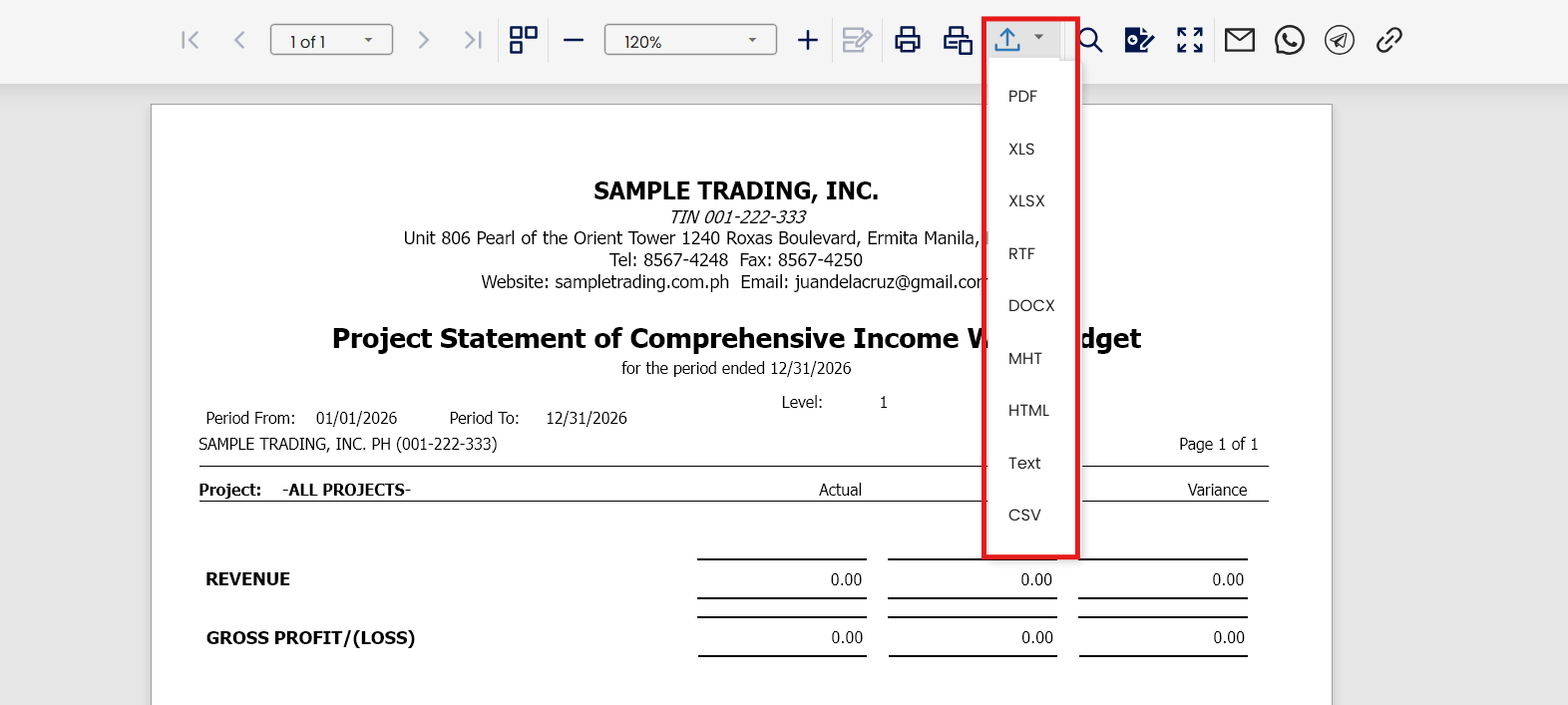
To Print, click ‘Print’.
Application:
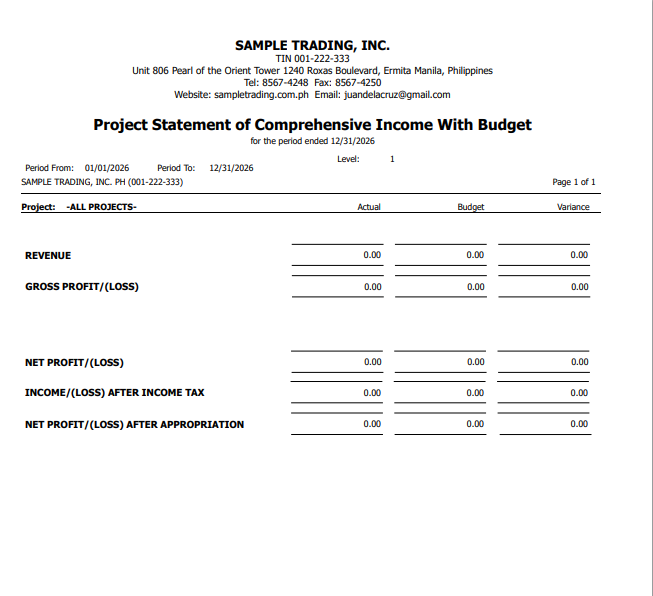
You can now view the generated Project Statement of Comprehensive Income with Comparison report.
System Scope: QNE AI Cloud Accounting / N3 AI Accounting
Was this article helpful?
That’s Great!
Thank you for your feedback
Sorry! We couldn't be helpful
Thank you for your feedback
Feedback sent
We appreciate your effort and will try to fix the article