Overview:
N3 AI Accounting offers three plans to cater to business needs: Basic, Essential, and Pro. The system allows you the flexibility to seamlessly upgrade or downgrade your plan at any time. Your trial won't reset; you'll simply continue with the remaining time on your initial selection.
Learn more about our basic packages and their inclusions:
https://www.qne.com.ph/cloud-accounting-software-for-accountants/#
Scenario:
The chosen plan doesn’t fit the current business.
Procedure:
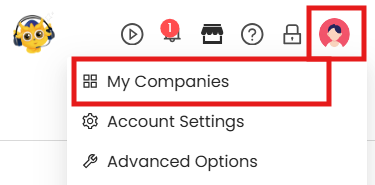
In User Options, go to My Companies
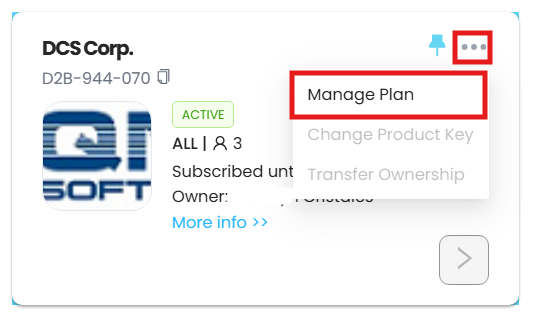
In My Companies, go over the three dots > Manage Plan
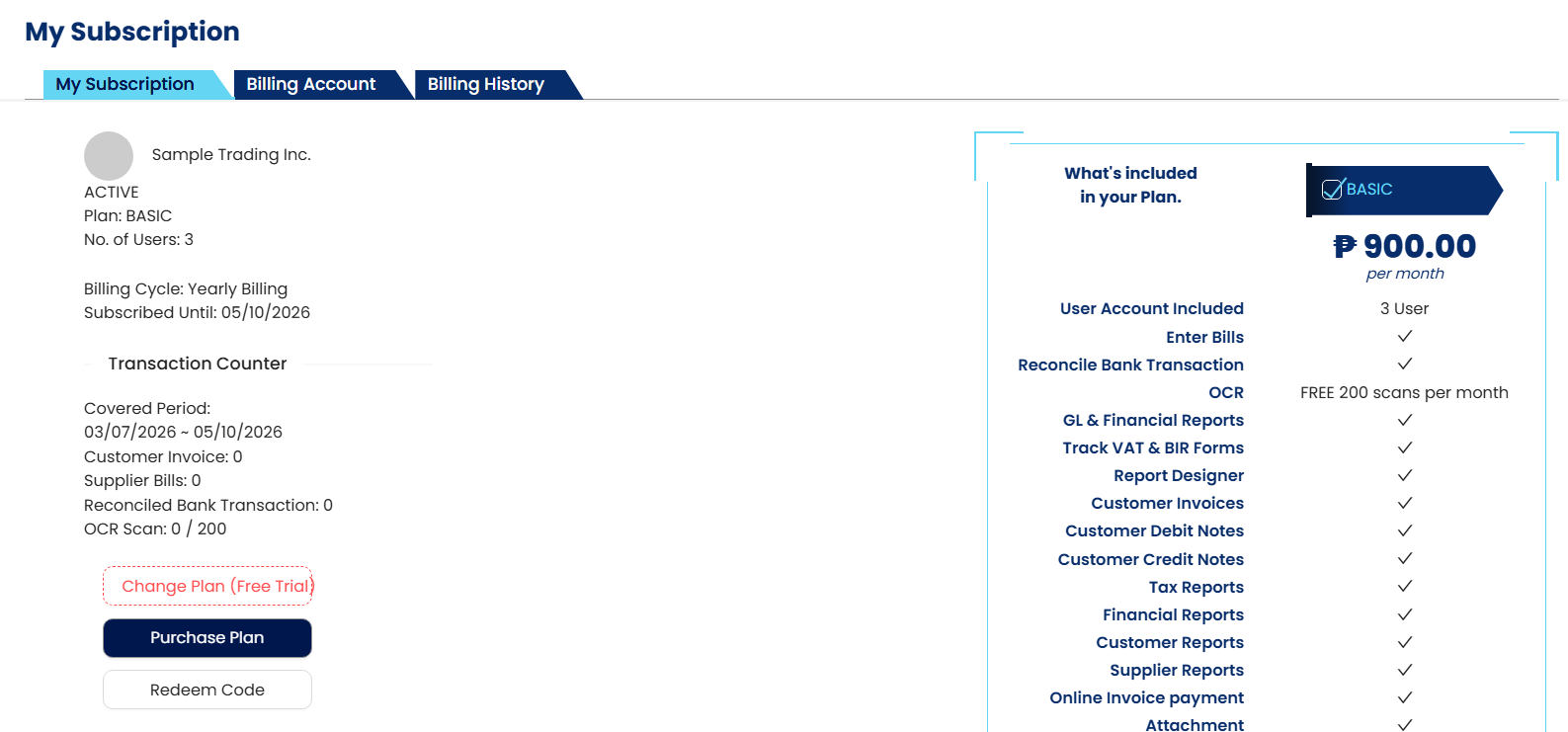
Click on Change Plan (Free Trial).
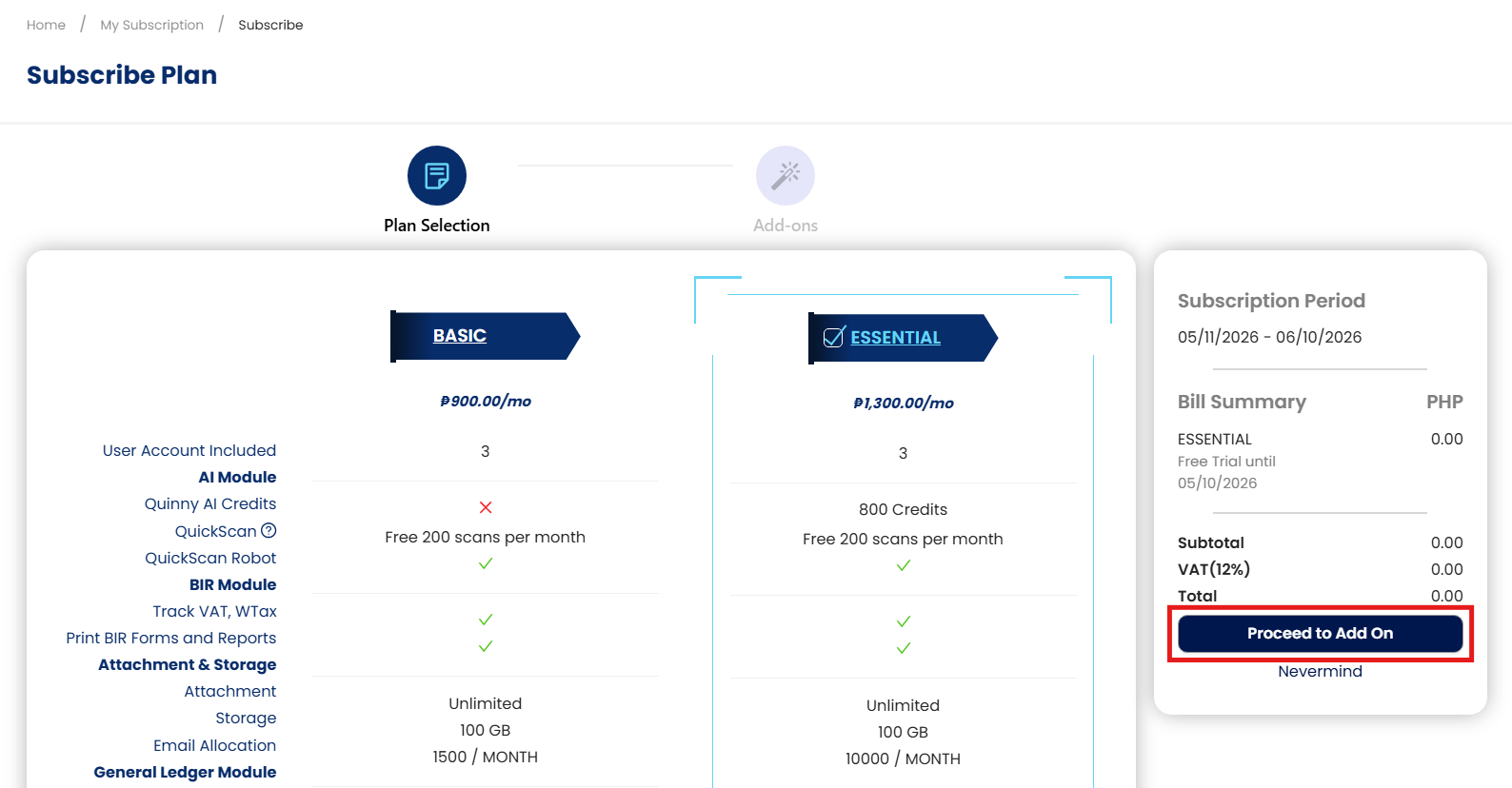
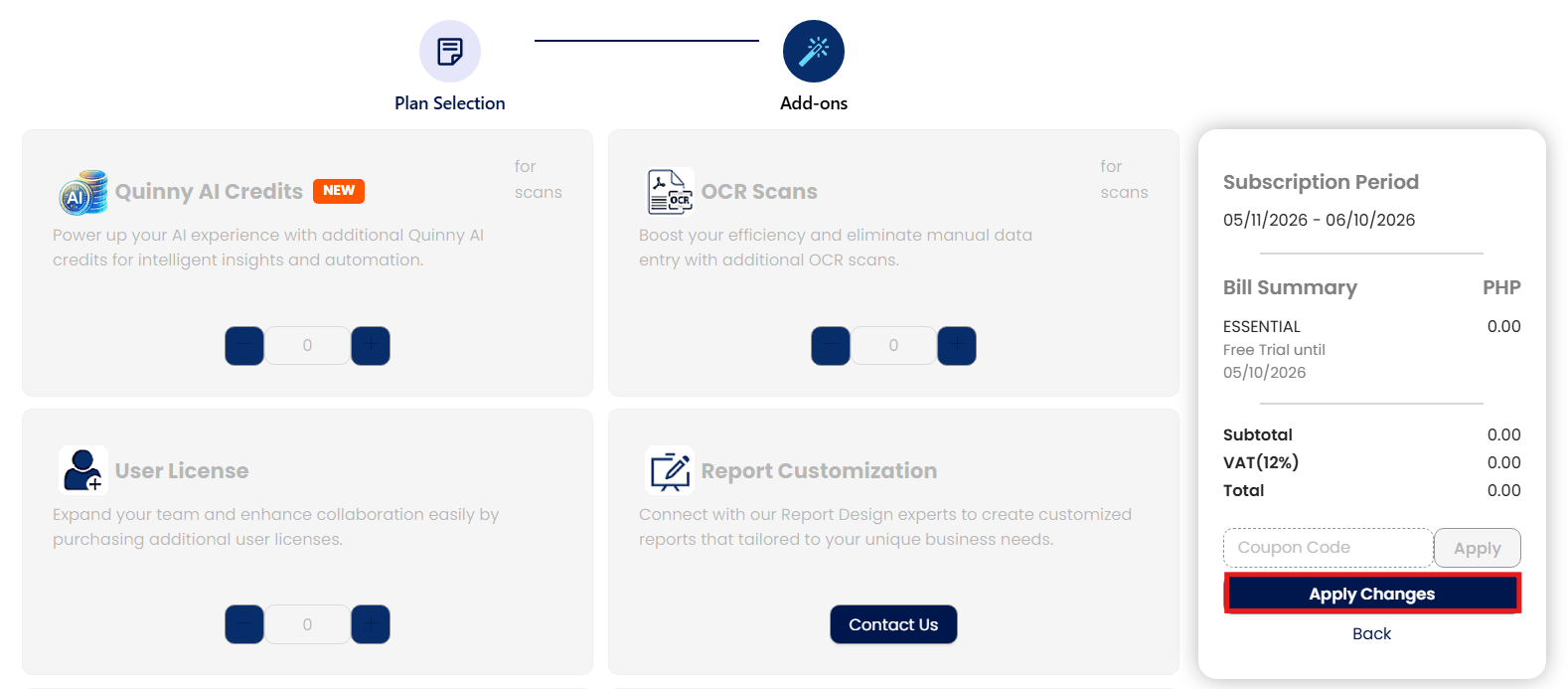
4. Select a new plan. Once done, click ‘Proceed to Add On’
5. Click Apply Changes.
Application:
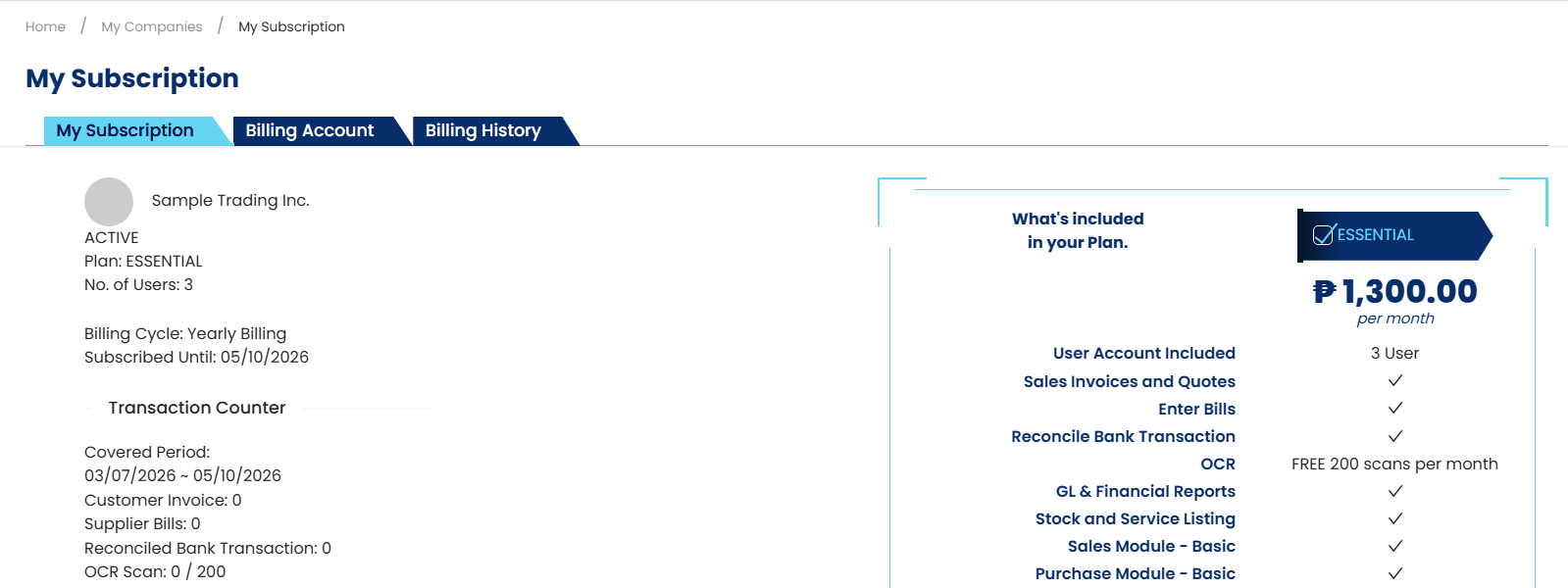
Plan inclusion is now updated based on the Plan.
System Scope: QNE AI Cloud Accounting / N3 AI Accounting
Was this article helpful?
That’s Great!
Thank you for your feedback
Sorry! We couldn't be helpful
Thank you for your feedback
Feedback sent
We appreciate your effort and will try to fix the article