Overview:
QuickScan is the AI Module of N3 that uses OCR (Optical Character Recognition) technology to detect characters on the uploaded document.
Conversion of documents will only be applicable for Bills and Payment Vouchers.
Scenario:
To convert attachment into a transaction.
Procedure:
Upload File
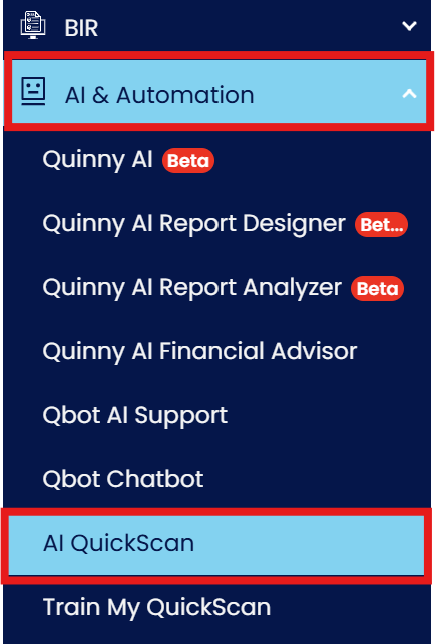
1. Under Navigation Panel, go to AI Module > QuickScan
2. Click Upload to upload the document to convert.

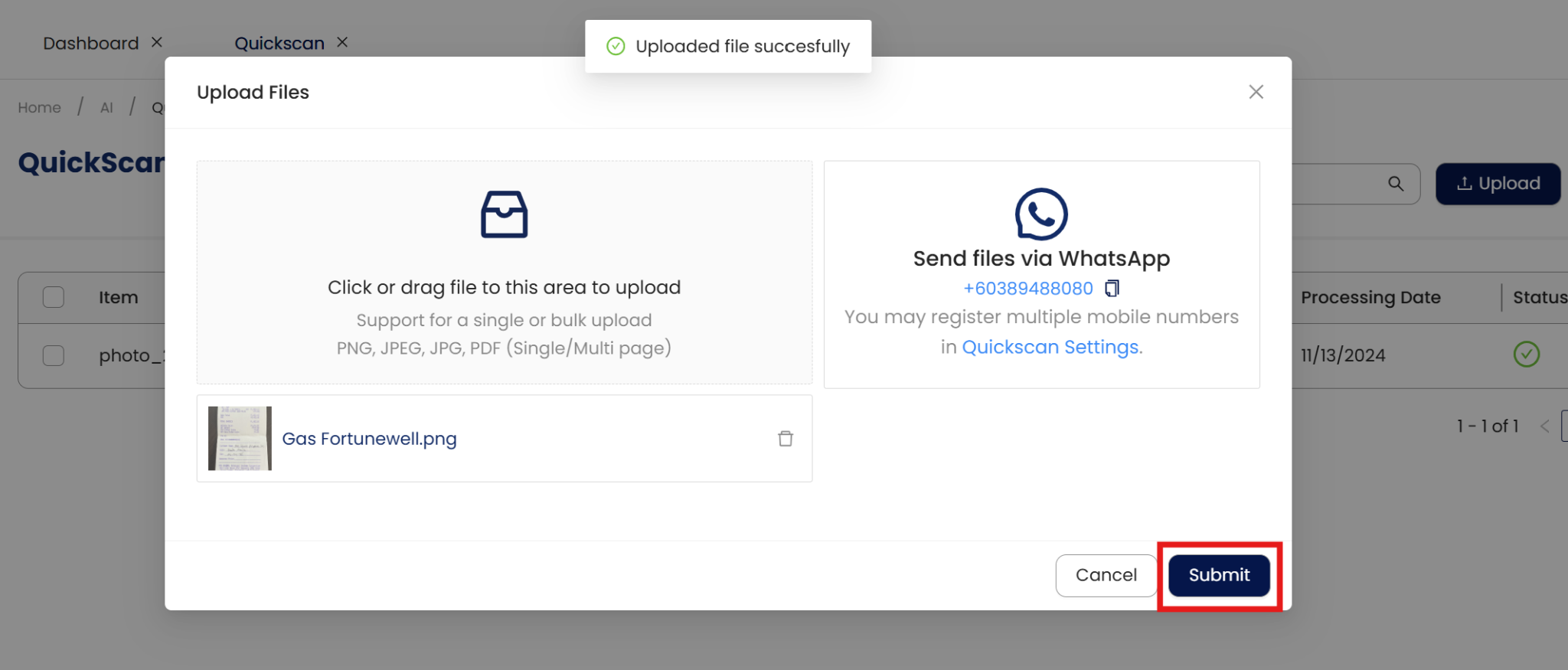
3. Drag or browse the document to upload then click Submit. Wait until the document has been uploaded.
Convert
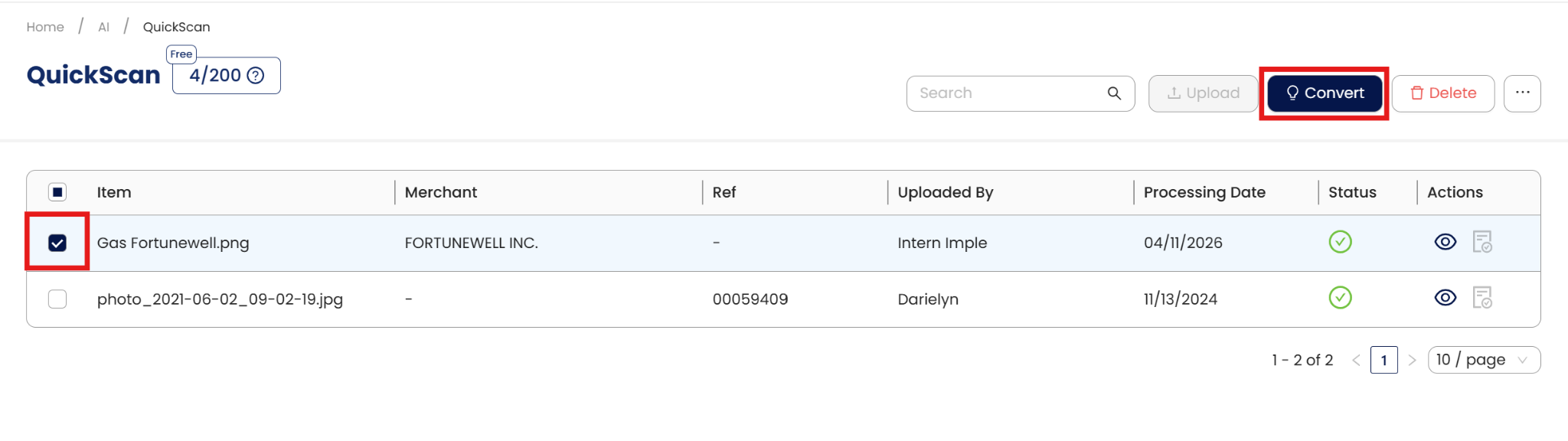
1. Click the checkbox of the transaction to convert. This will enable the Convert button, then click it.
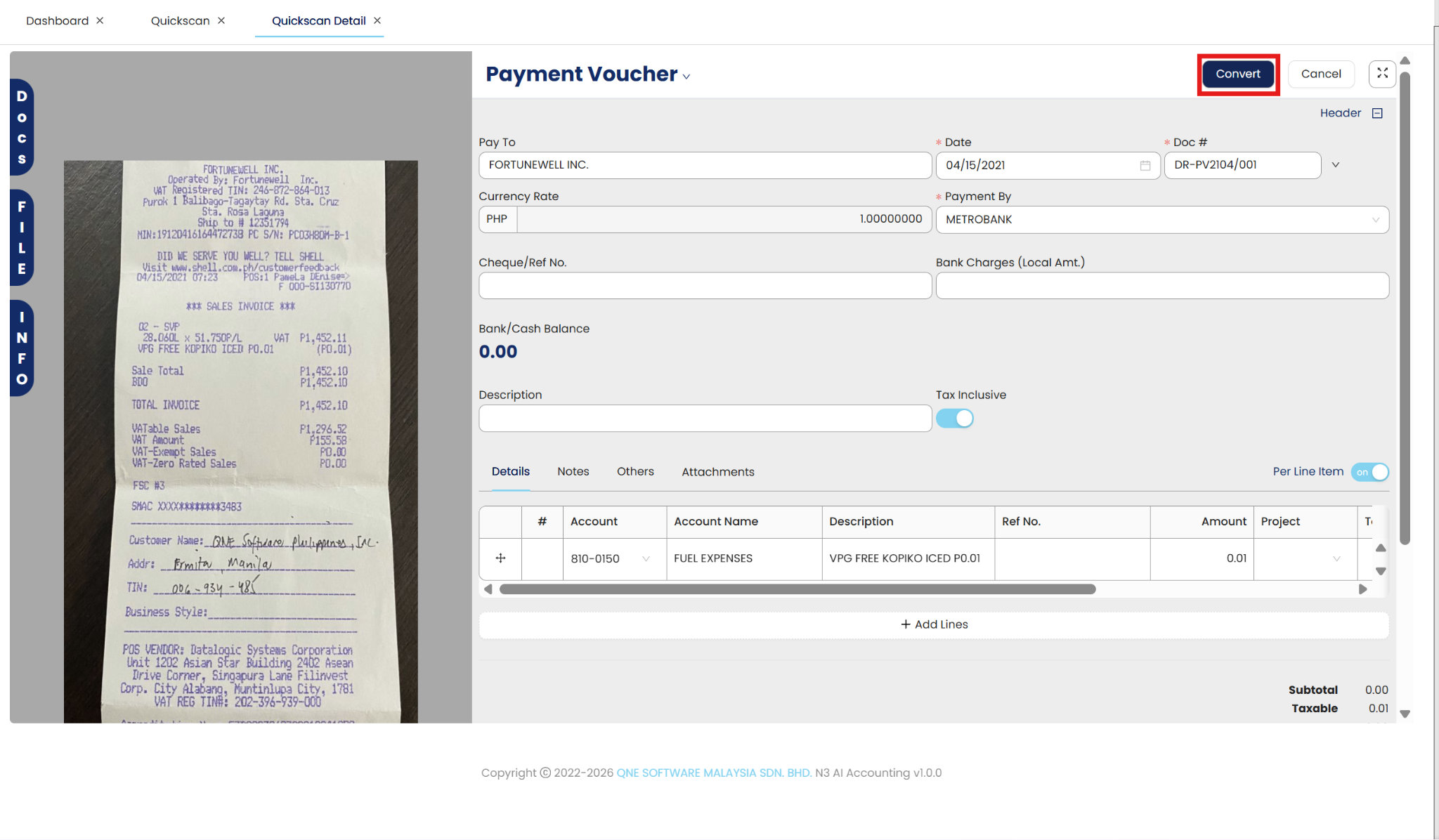
2. Under Convert Details, select which transaction the document will be converted and double the details.
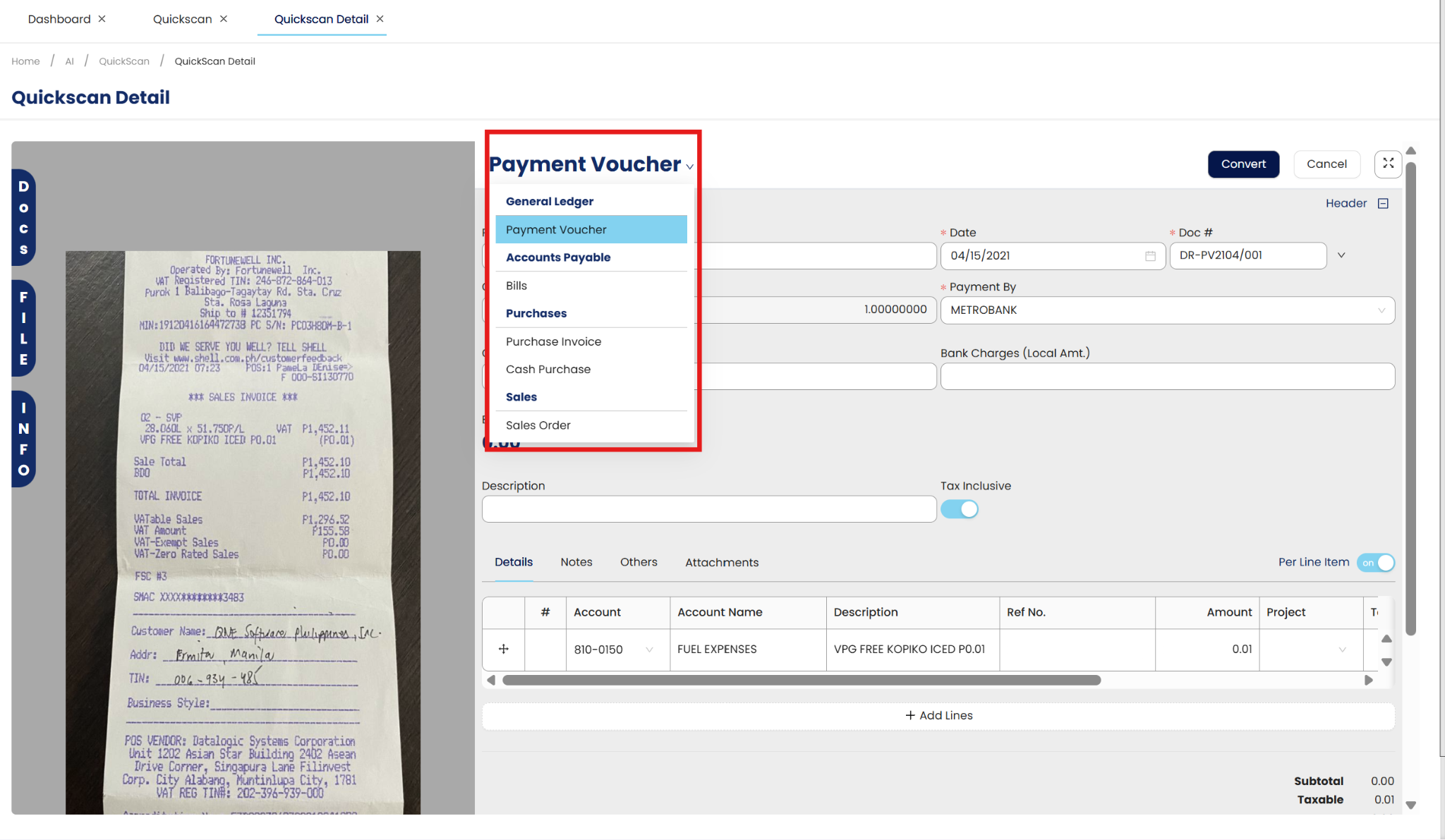
3. At the top part of the page, click Convert to convert the document into a transaction.
Application:
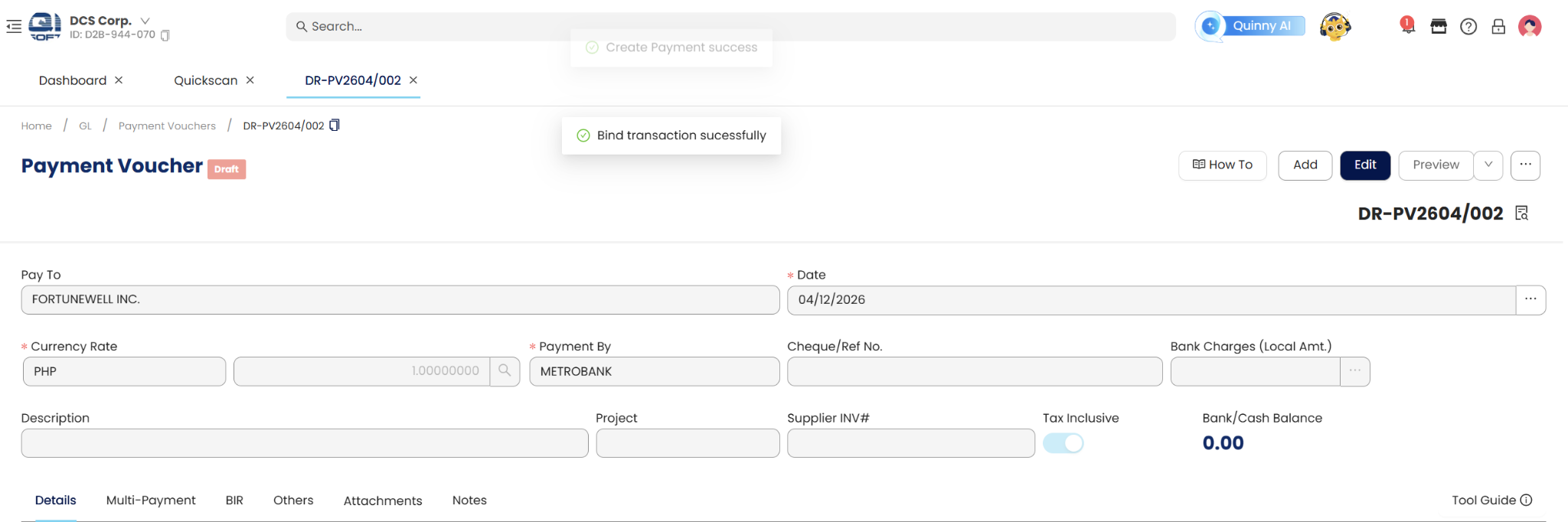
Transaction has been converted to a Payment Voucher.
System Scope: QNE AI Cloud Accounting / N3 AI Accounting
Was this article helpful?
That’s Great!
Thank you for your feedback
Sorry! We couldn't be helpful
Thank you for your feedback
Feedback sent
We appreciate your effort and will try to fix the article